How to Write a Review
Leaving a Course Review
Your feedback is very important to us! You can leave your comments and ratings for any course you have completed or studied.
Step 1: Initiating the Review Process
There are two ways to start writing a review:
Method A: Via the Course Details Page
- Open the Course Details (Maelezo ya Kozi) page for the course you wish to review.
- Scroll down to the Student Reviews (Maoni ya Wanafunzi) section.
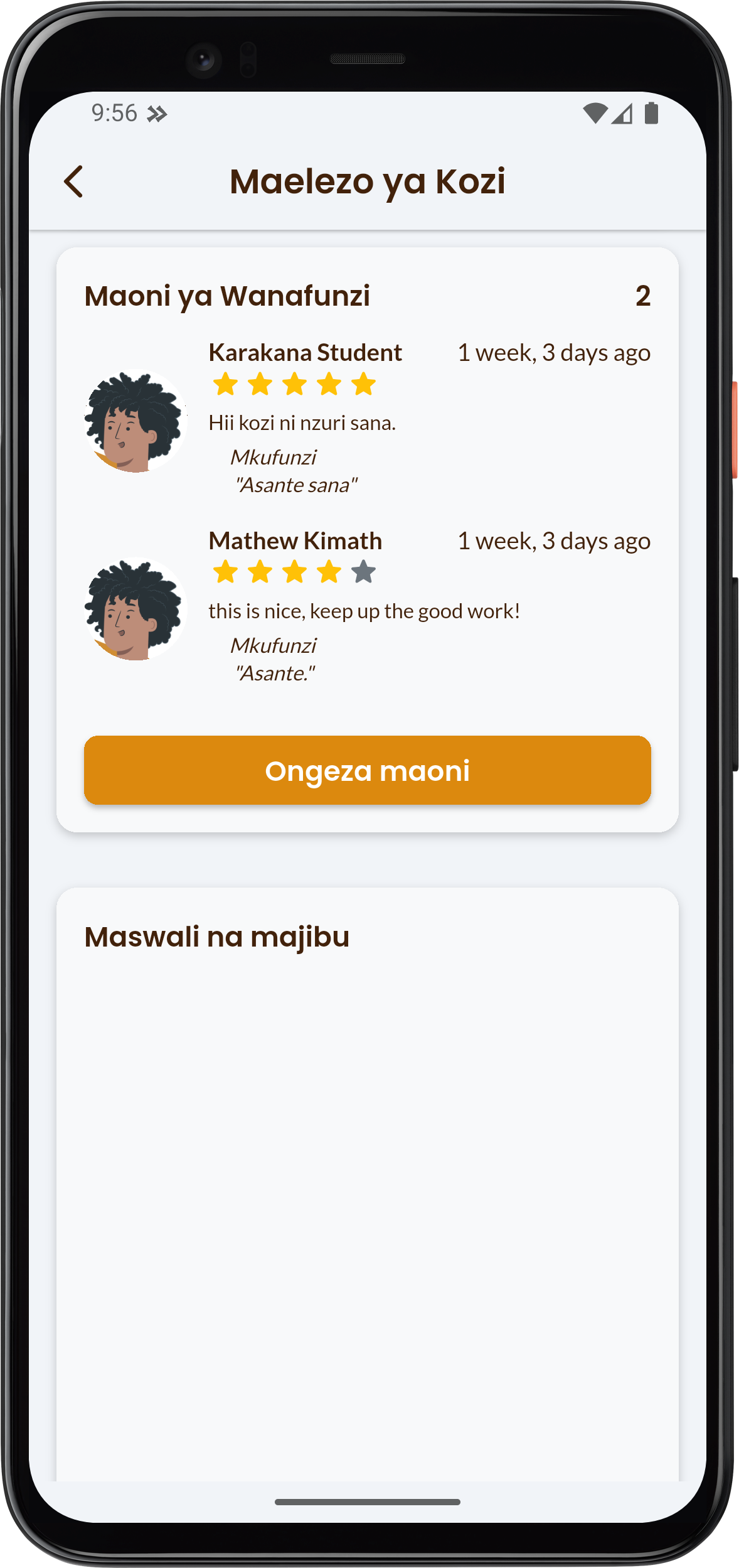
- Click the Ongeza maoni (Add Review) button.
Method B: Via the Reviews Page
- From the Student Reviews section, click to see the full list of reviews.
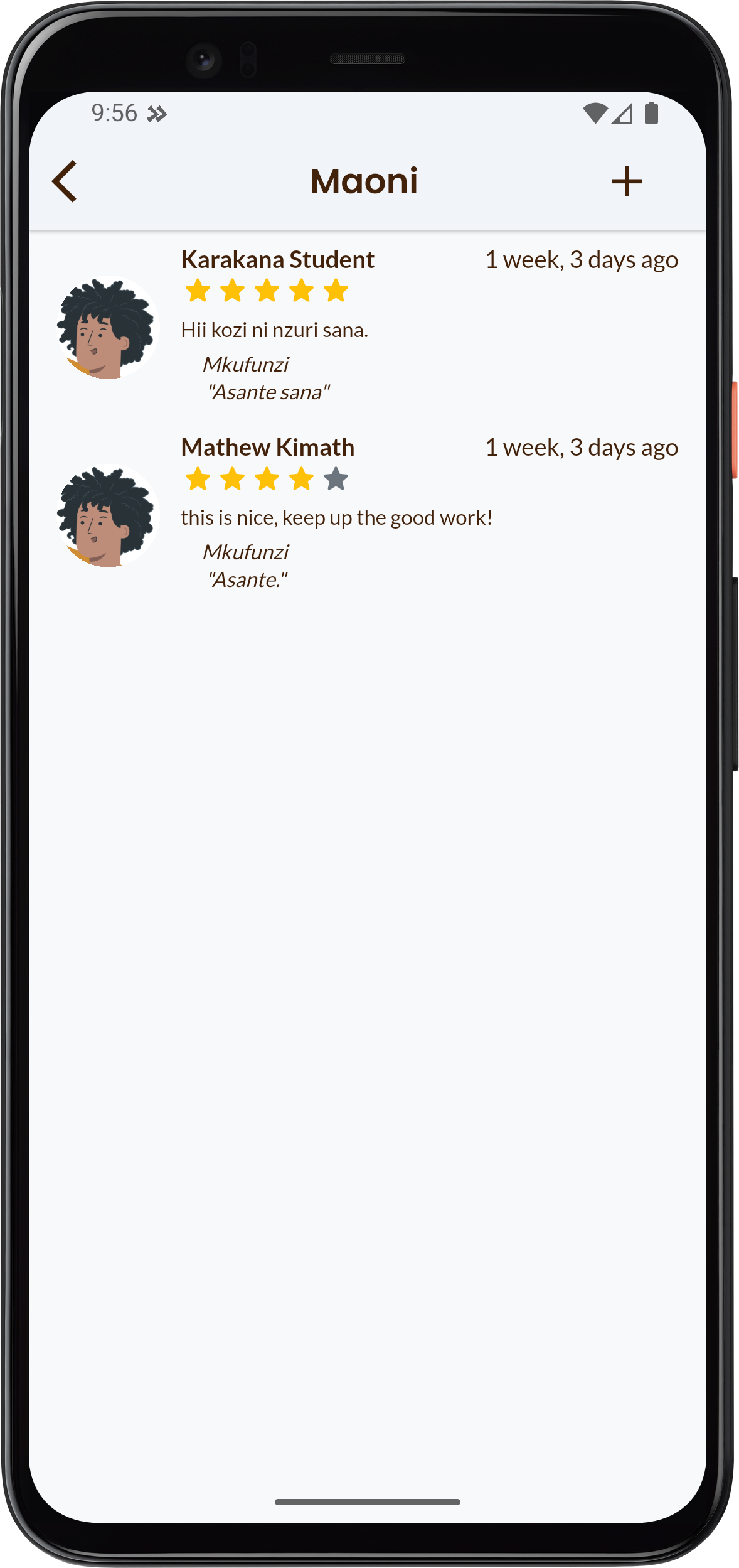
- On the Reviews (Maoni) page, click the add button () located in the top right corner.
Step 2: Writing and Submitting the Review
This will open the Write Your Review (Andika Maoni Yako) dialog where you can enter your feedback.
- Give a Rating: Choose the number of stars you want to give the course, from one to five.
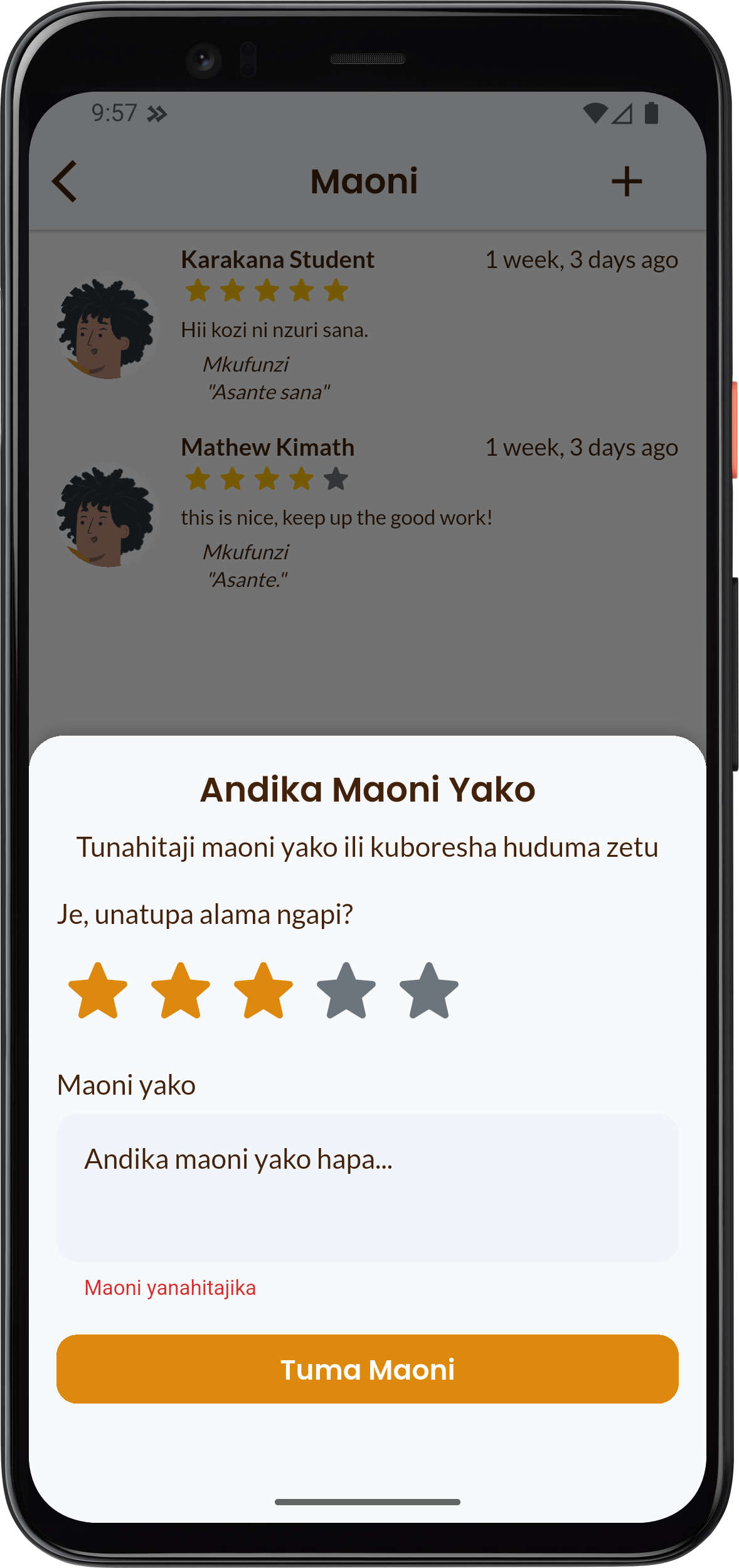
- Your Feedback: Enter your comments in the Your Feedback (Maoni yako) section. Please briefly describe your experience.
- Submit: Click the button: Tuma Maoni (Submit Review)
Your review will appear in the course review list shortly after submission.