How to Join the Instructors (Trainers)
Joining the Karakana Instructor Team
You can join Karakana as an instructor and start sharing your skills with the community. Follow these essential steps.
Step 1: Completing the Profile
Before submitting your application, you must ensure that your basic profile information is complete.
- On the Account page, click Edit Profile (Hariri Wasifu).
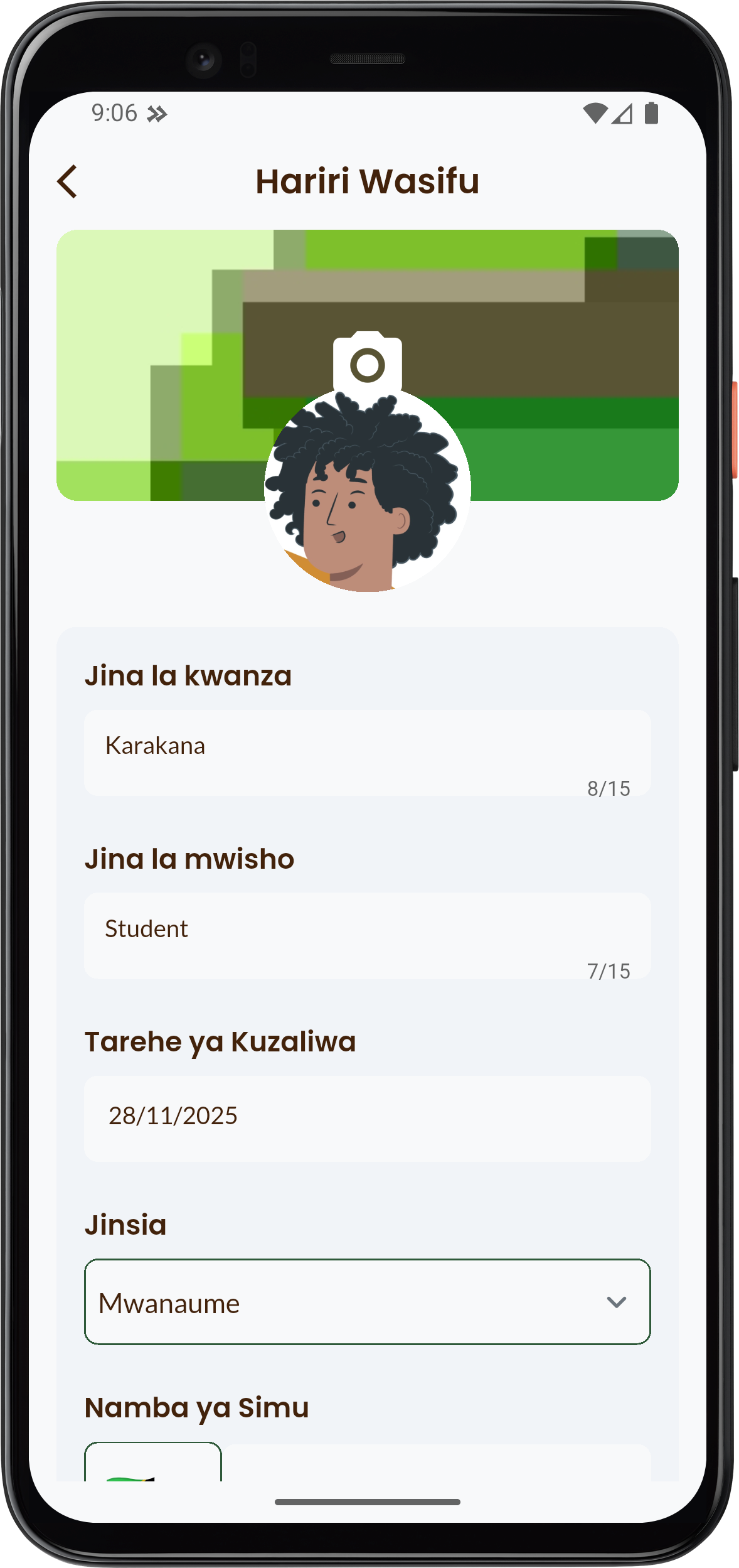
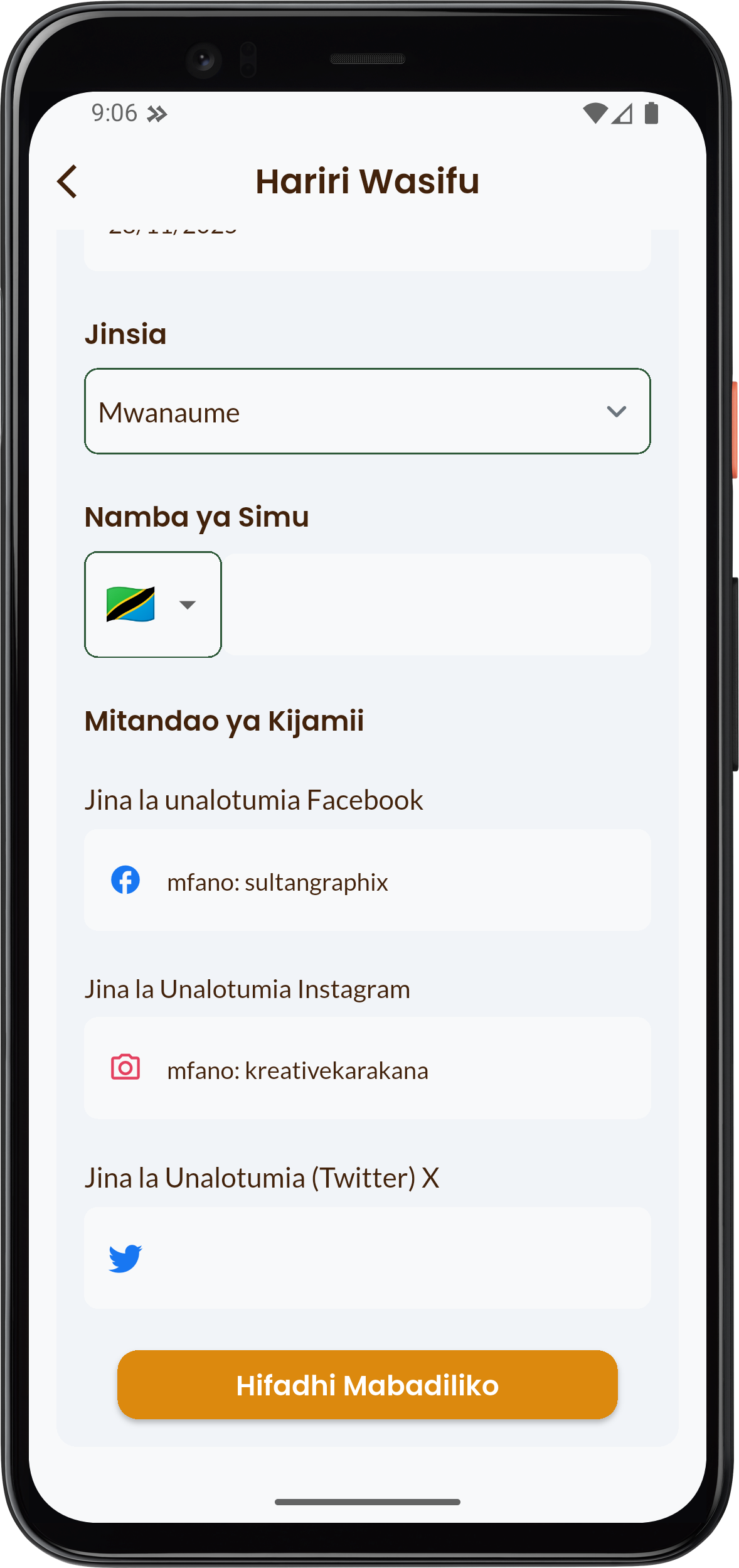
- Fill in all required information:
- First Name (Jina la kwanza) and Last Name (Jina la mwisho).
- Date of Birth (Tarehe ya Kuzaliwa) and Gender (Jinsia).
- Phone number (Namba ya simu).
- Ensure you upload a cover photo and a profile photo.
- Click Hifadhi Mabadiliko (Save Changes).
Step 2: Initiating the Application
- Return to the My Account (Akaunti yangu) page.
- Click the Join our instructors (Jiunge na wakufunzi wetu) card.

info
Note: If your profile is incomplete, the system will redirect you back to the Edit Profile (Hariri Wasifu) page (Step 1).
Step 3: Filling the Additional Information Form
When you click the join button, you will first be directed to fill out the form for additional user information for our statistics.
- Fill in details such as Type of residence (Aina ya makao yako), Region (Mkoa), and Education Level (Kiwango cha Elimu).
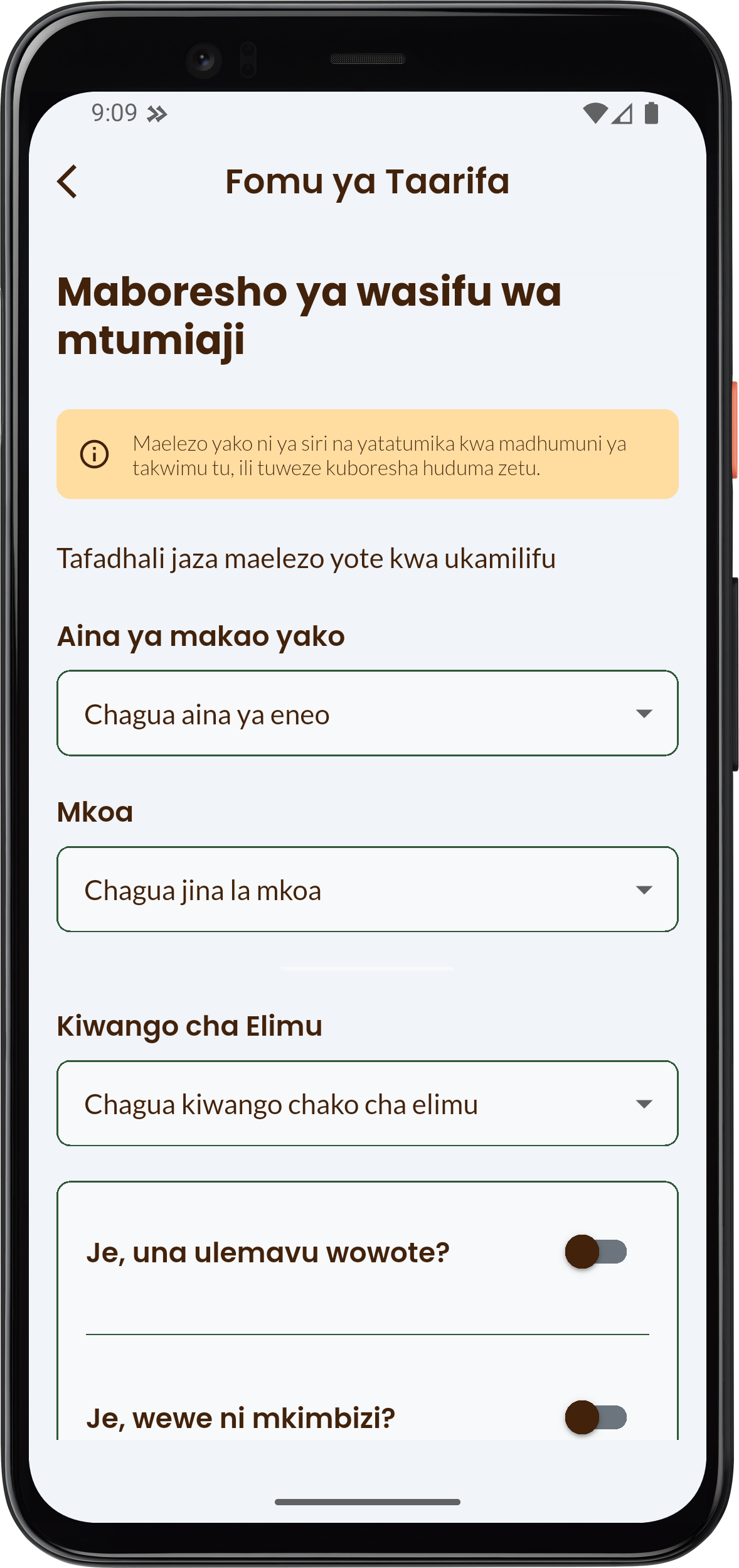
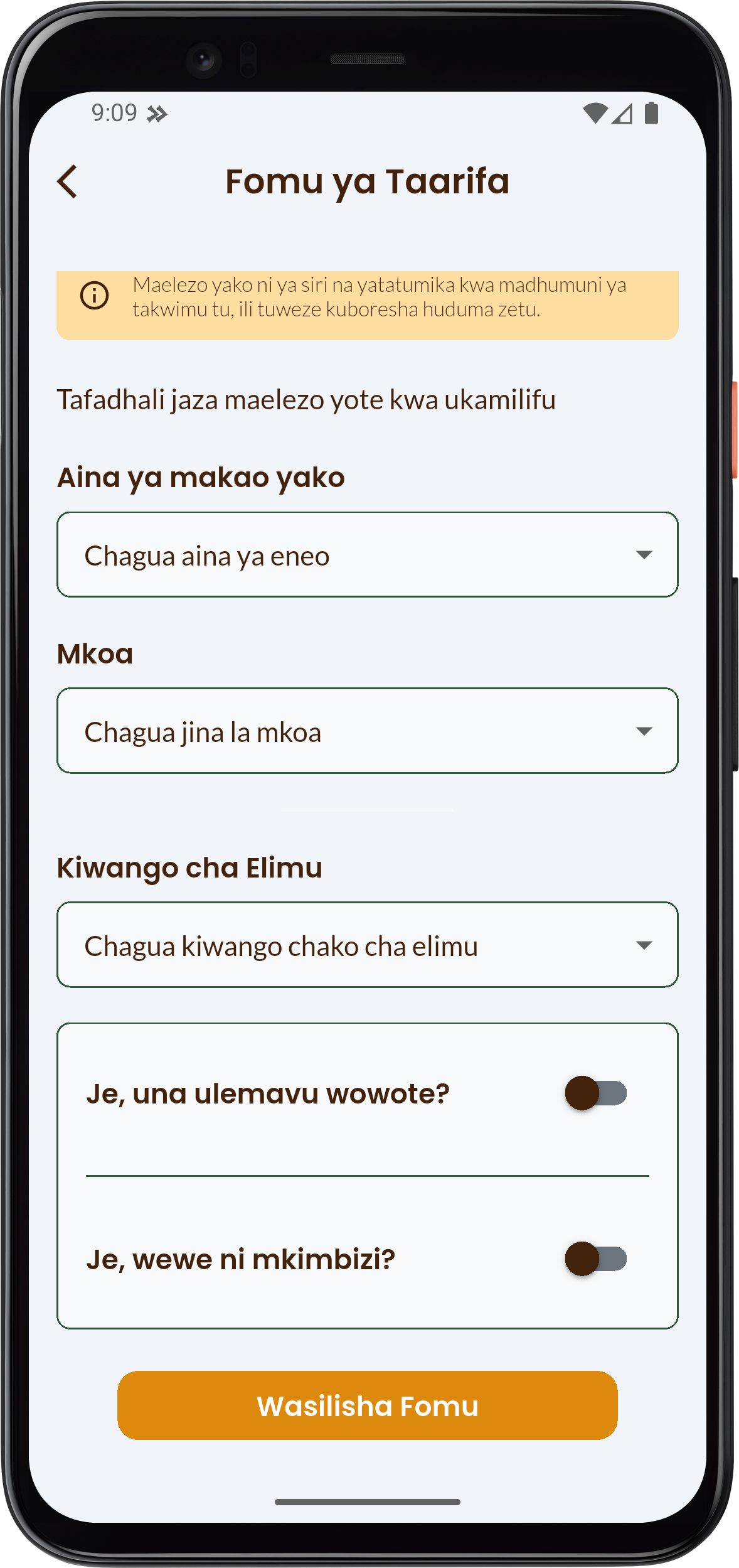
- Answer questions regarding disability (ulemavu) and if you are a refugee (mkimbiiz).
- Click Wasilisha Fomu (Submit Form).
Step 4: Filling the Instructor Application Form
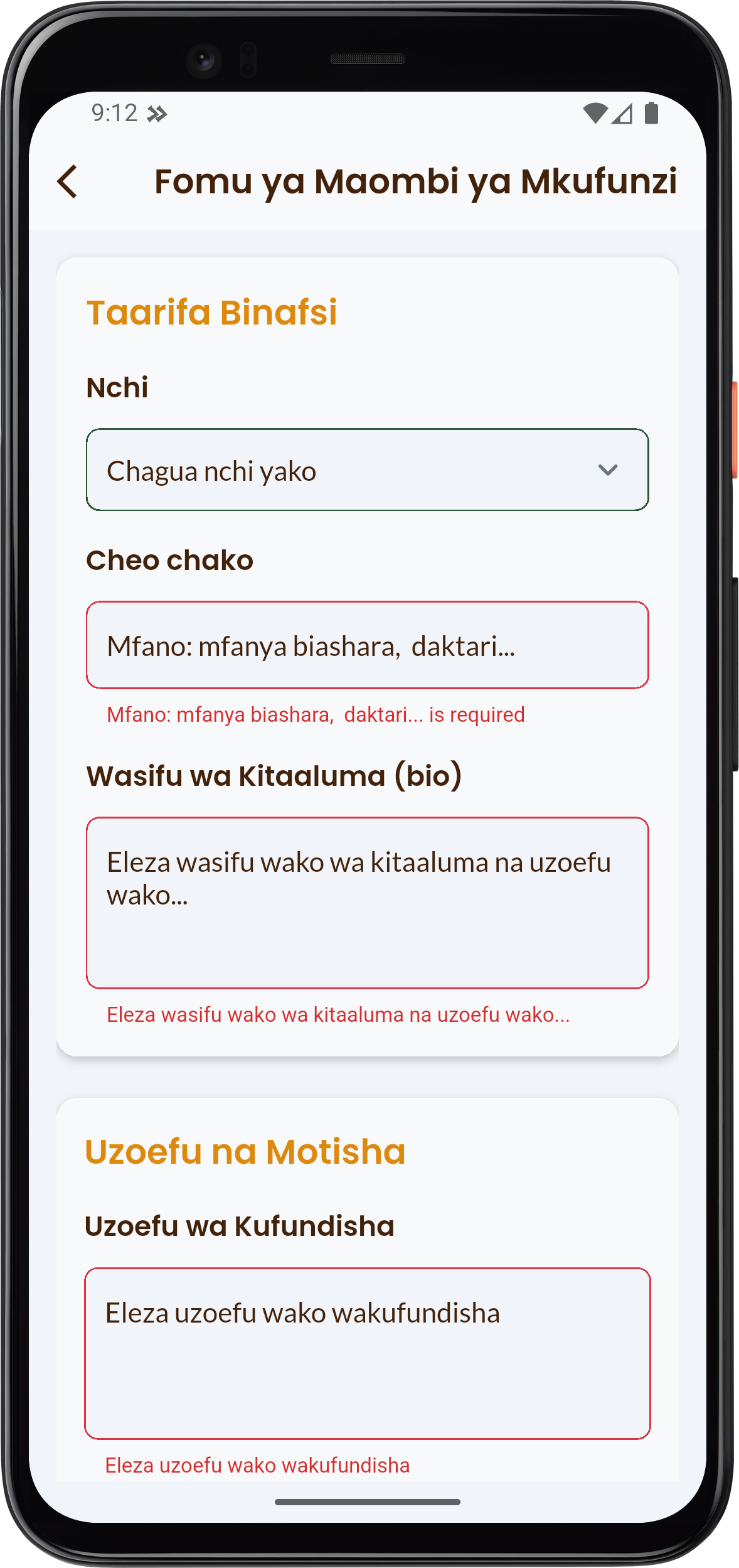
After submitting the Information Form, you will be directed to the Instructor Application Form (Fomu ya Maombi ya Mkufunzi) which requires professional details:
- Fill in your Personal Information (Taarifa Binafsi) (Country, Your title/profession, Professional profile/Bio).
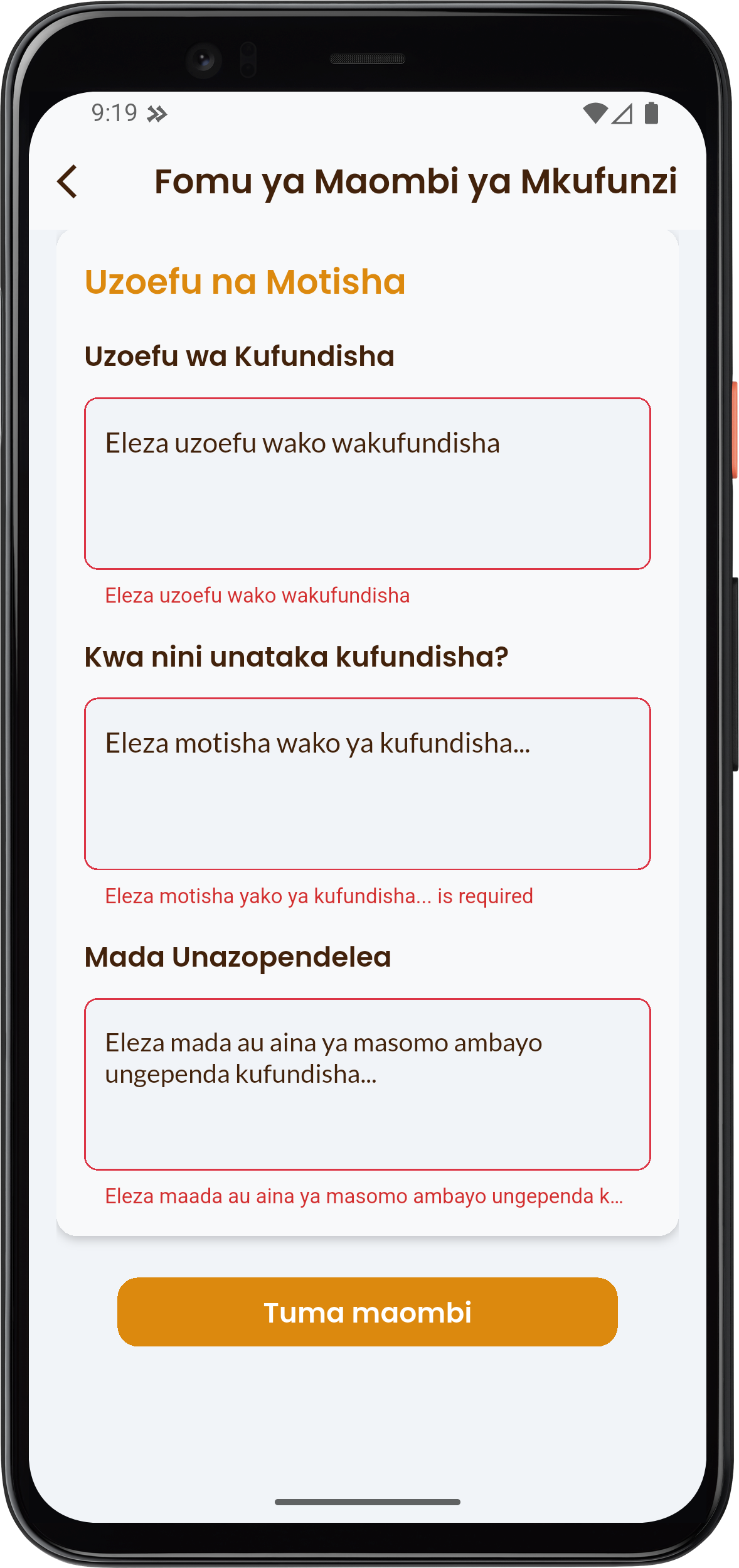
- Fill in the Experience and Motivation (Uzoefu na Motisha) details:
- Your Teaching Experience.
- Reasons (Motivation) for wanting to teach.
- Subjects You Prefer to Teach.
- Click Tuma maombi (Submit Application).
Step 5: Tracking Application Status
- After submitting the application, you will be returned to the My Account (Akaunti yangu) page.
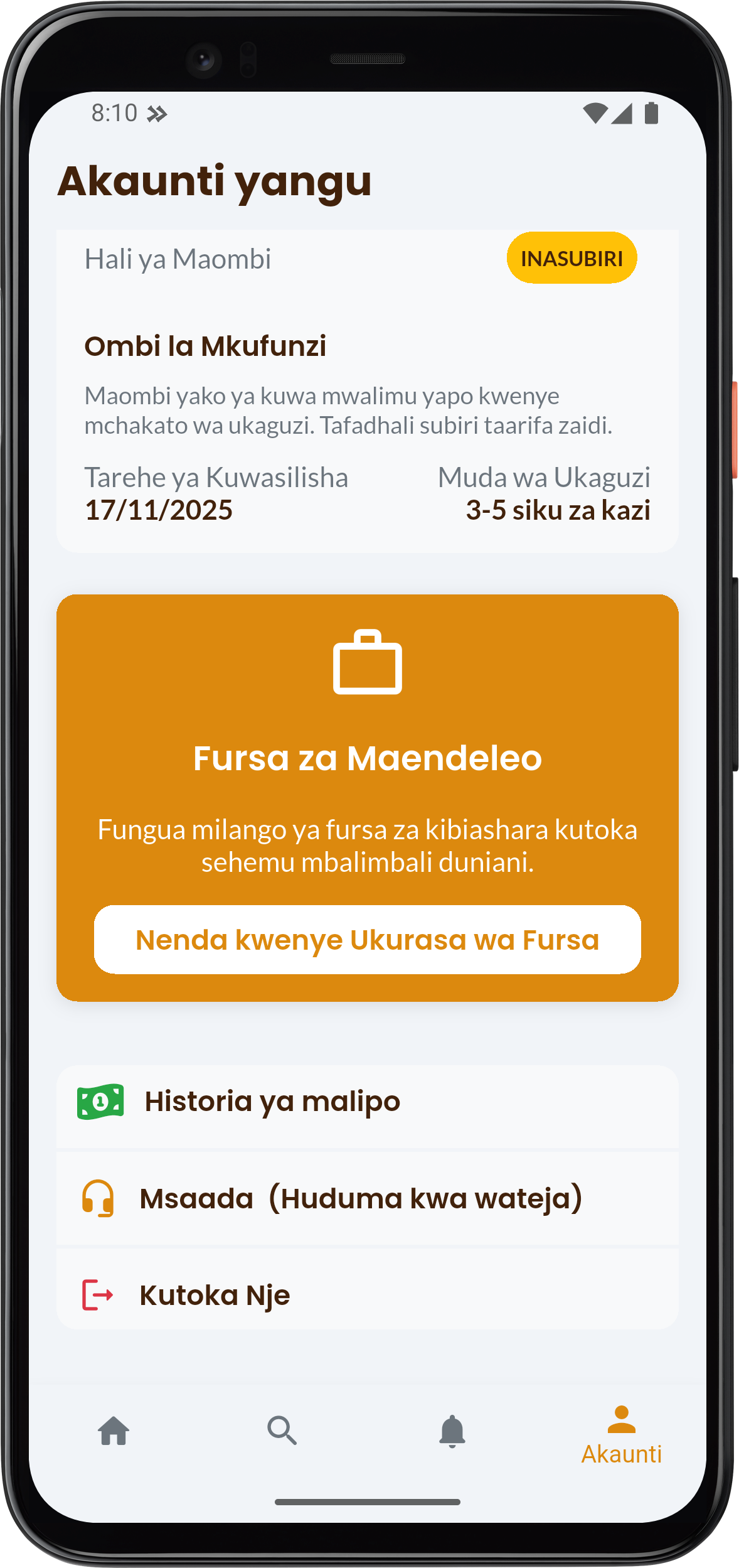
- You can track your application status (E.g.: PENDING (INASUBIRI)) in the Application Status (Hali ya Maombi) section.
- Application review takes 3-5 business days. You will receive a notification when your application is approved or rejected.