How to Contact Customer Support
Contacting the Karakana Team (Support)
If you have any question or challenge, you can submit a support request (ticket) and start a direct conversation (live chat) with our team.
Step 1: Opening the Support Page
- Click the Account (Akaunti) button located at the bottom right of the app.
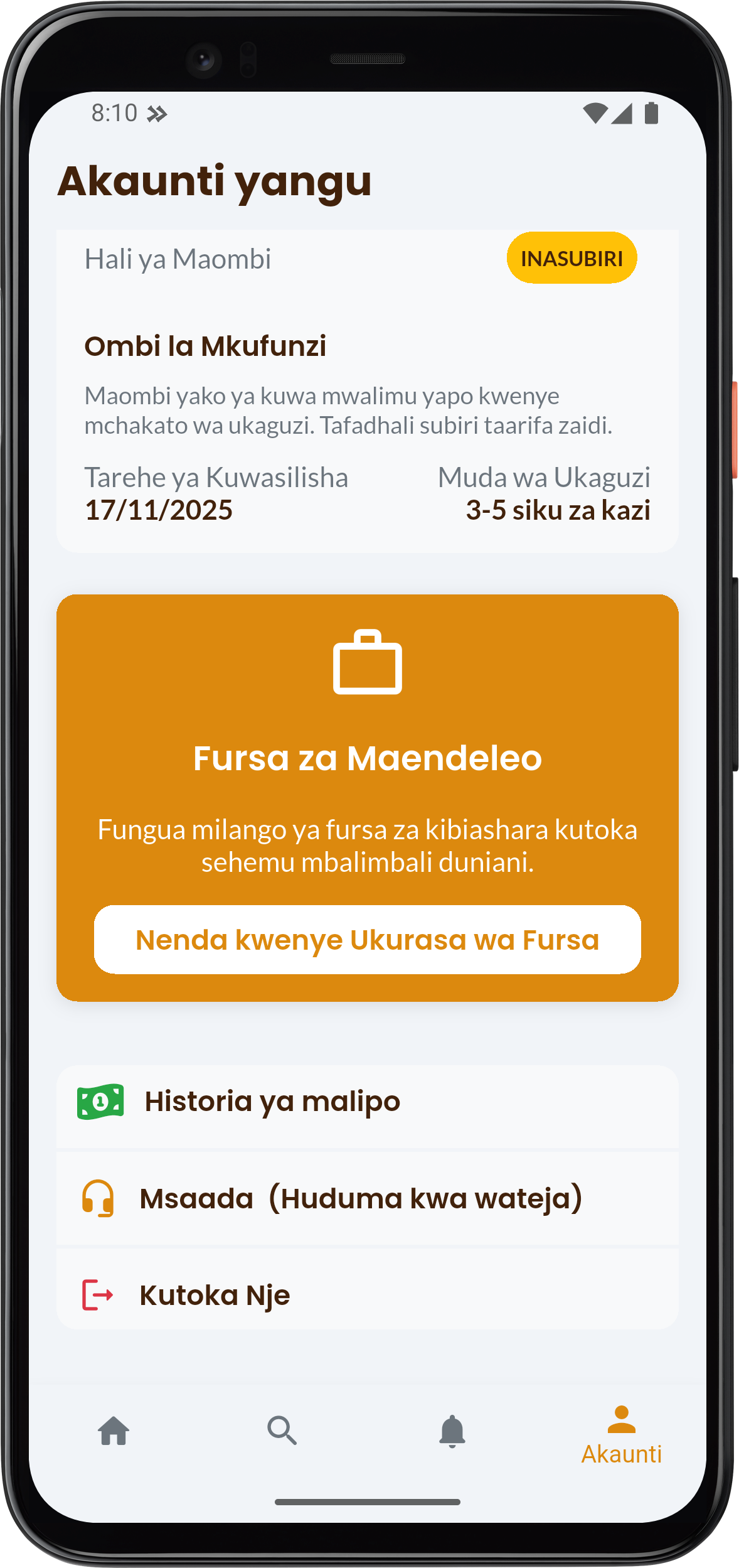
- Scroll down to the Help (Customer Service) (Msaada (Huduma kwa wateja)) section and click it.
Step 2: Creating a New Ticket
- On the Support Tickets (Tiketi za Msaada) page, click the floating + Unda tiketi (Create ticket) button.
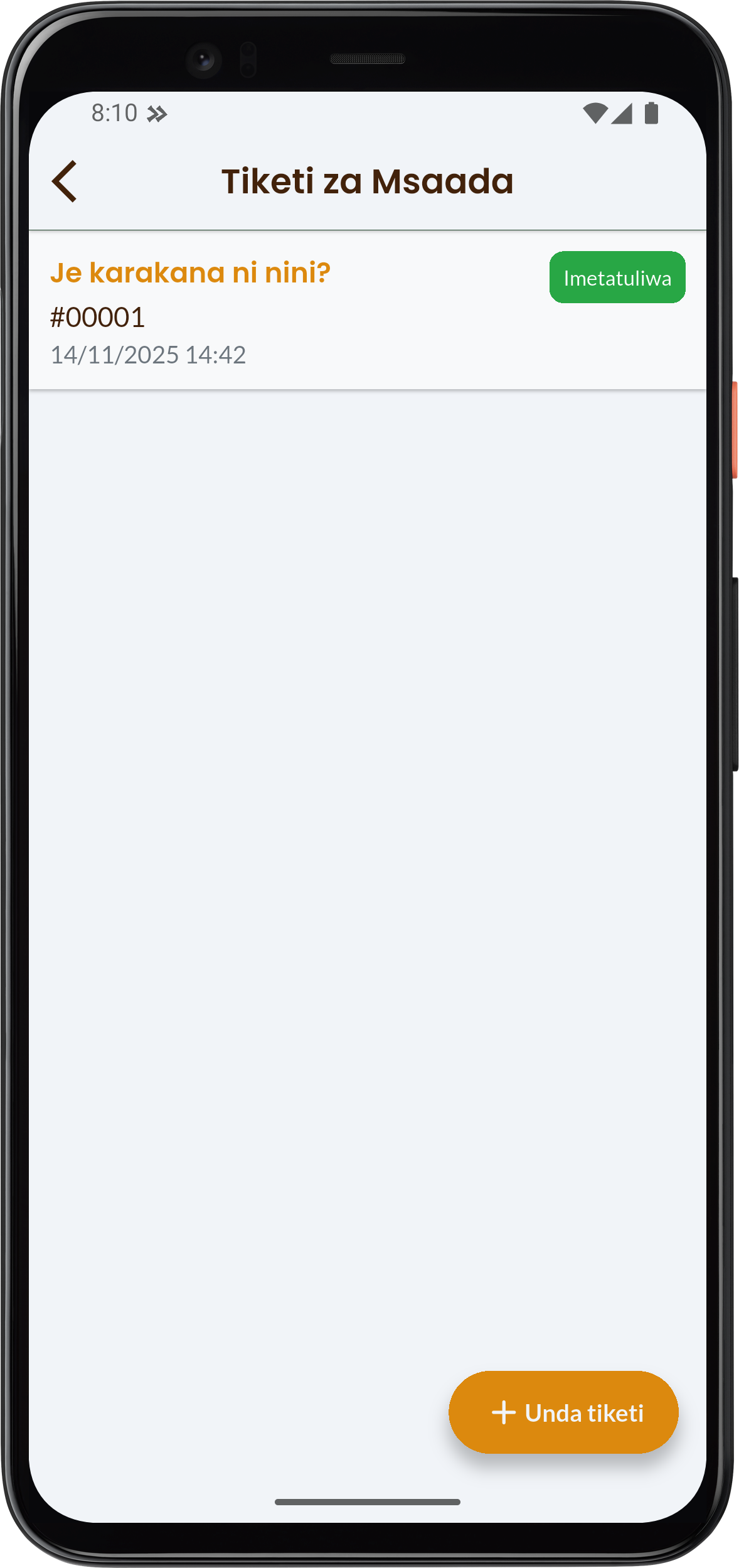
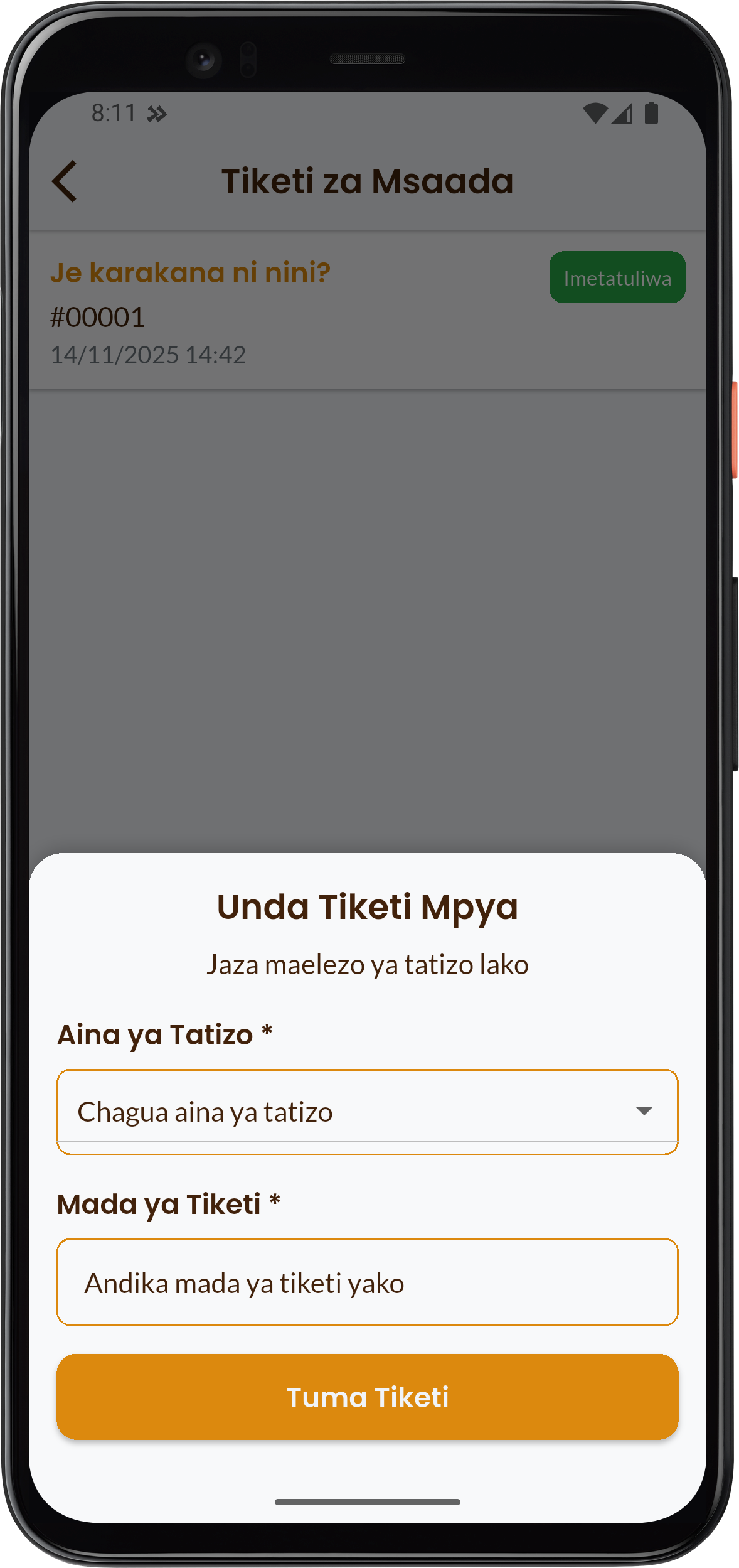
- This will open the Create New Ticket (Unda Tiketi Mpya) dialog.
Step 3: Filling the Ticket Form
On the form, fill in the details of your problem:
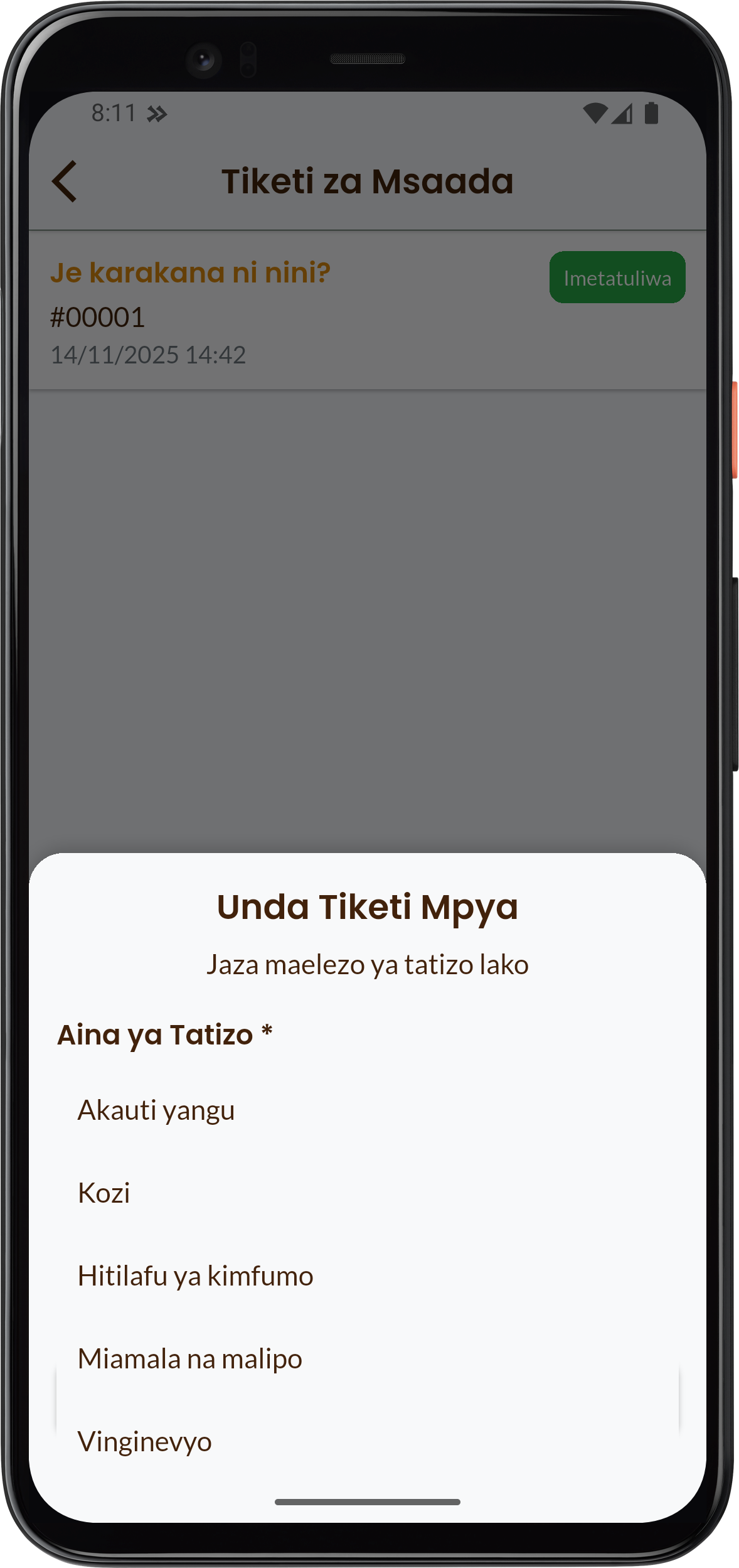
- Type of Problem (Aina ya Tatizo): Tap the Chagua aina ya tatizo (Choose type of problem) section and select the category related to your challenge (E.g.: Akaunti yangu (My Account), Kozi (Courses), Miamala na malipo (Transactions and Payments), etc.).
- Ticket Subject (Mada ya Tiketi): Write a short, clear title about your problem (E.g.: Confirming payment, Changing password, etc.).
- Click the button: Tuma Tiketi (Submit Ticket)
Step 4: Initiating the Conversation (Chat)
Immediately after submitting the ticket, you will be directed to the conversation page:
- Your ticket will now serve as a communication channel with the Karakana team.
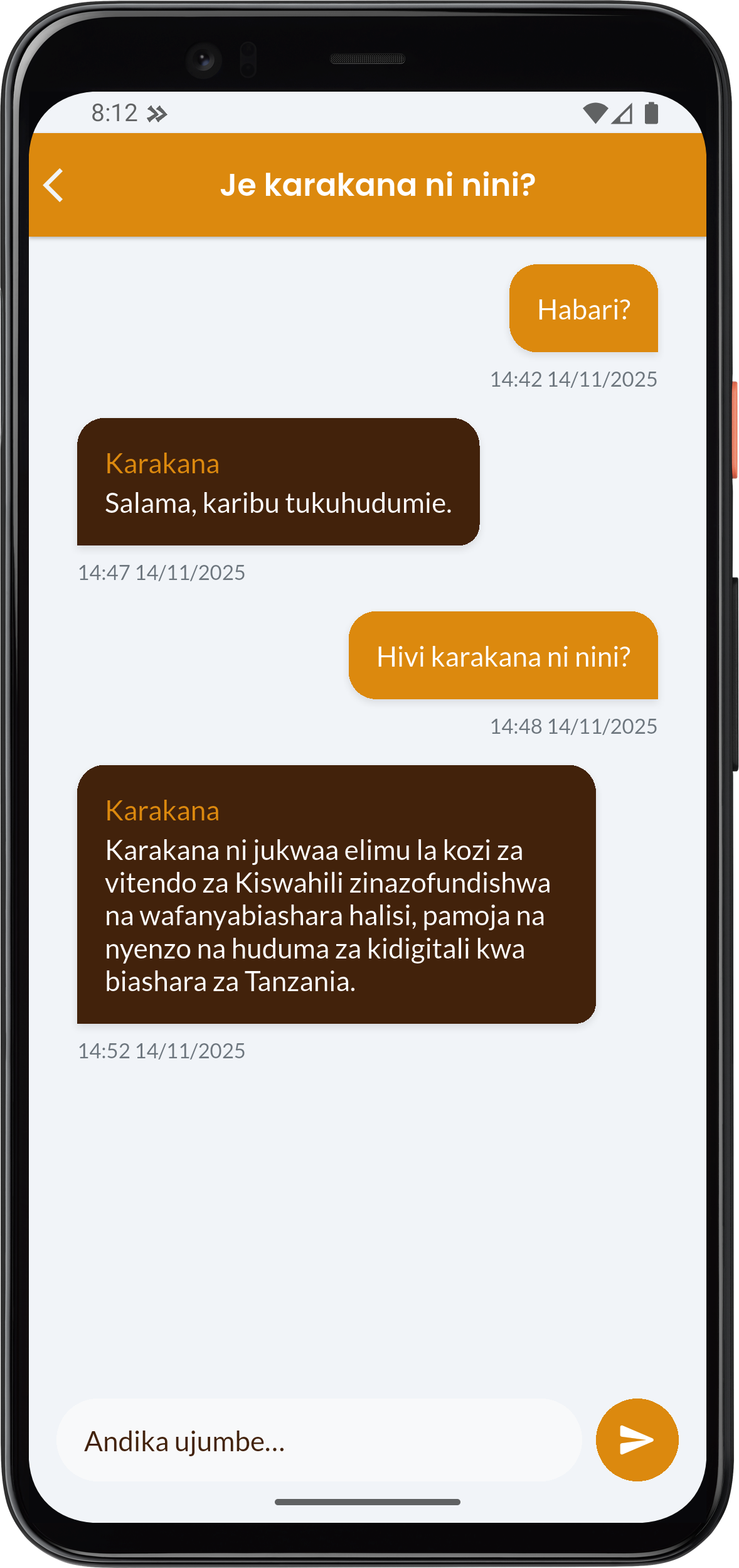
- Write your message in the Andika ujumbe... (Write message...) field and press the send button.
- Our team will respond in the same conversation thread to assist you.