How to Register
Step 1: Accept Terms and Conditions
Before proceeding with registration, you need to accept our terms and conditions.
- Find and carefully read the Terms and Conditions located below the registration buttons.
- Tick the checkbox to indicate that you agree to all the terms.
Step 2: Registration
After accepting the terms, you can register either using your email or your Google account.
- Google Registration
- Email Registration
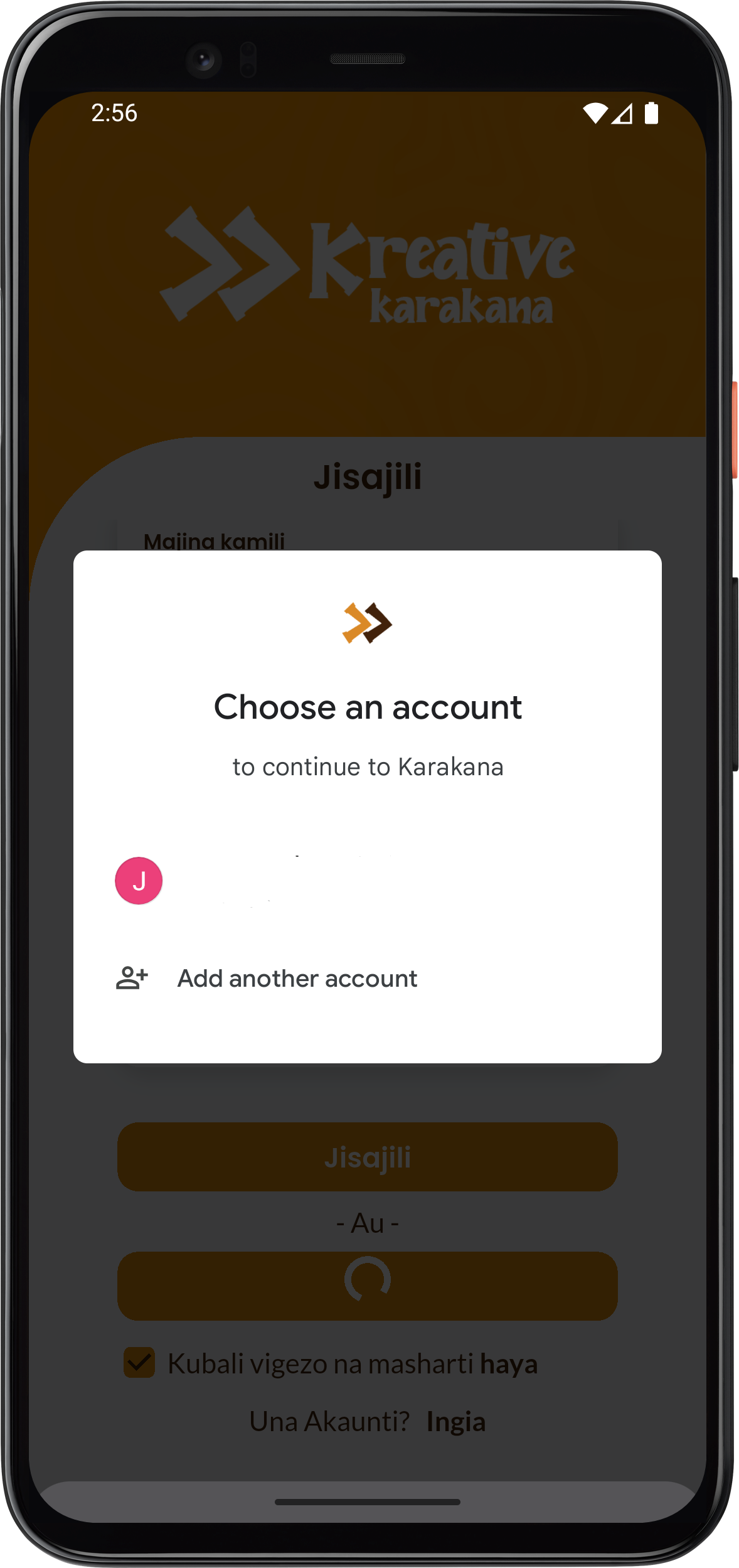
- Click Sign Up with Google
- Choose the account you want to register with.
- After entering the verification code correctly, you will be logged in automatically!
- You can now start using Karakana and begin learning your preferred lessons.
Step 1: Fill Out the Form
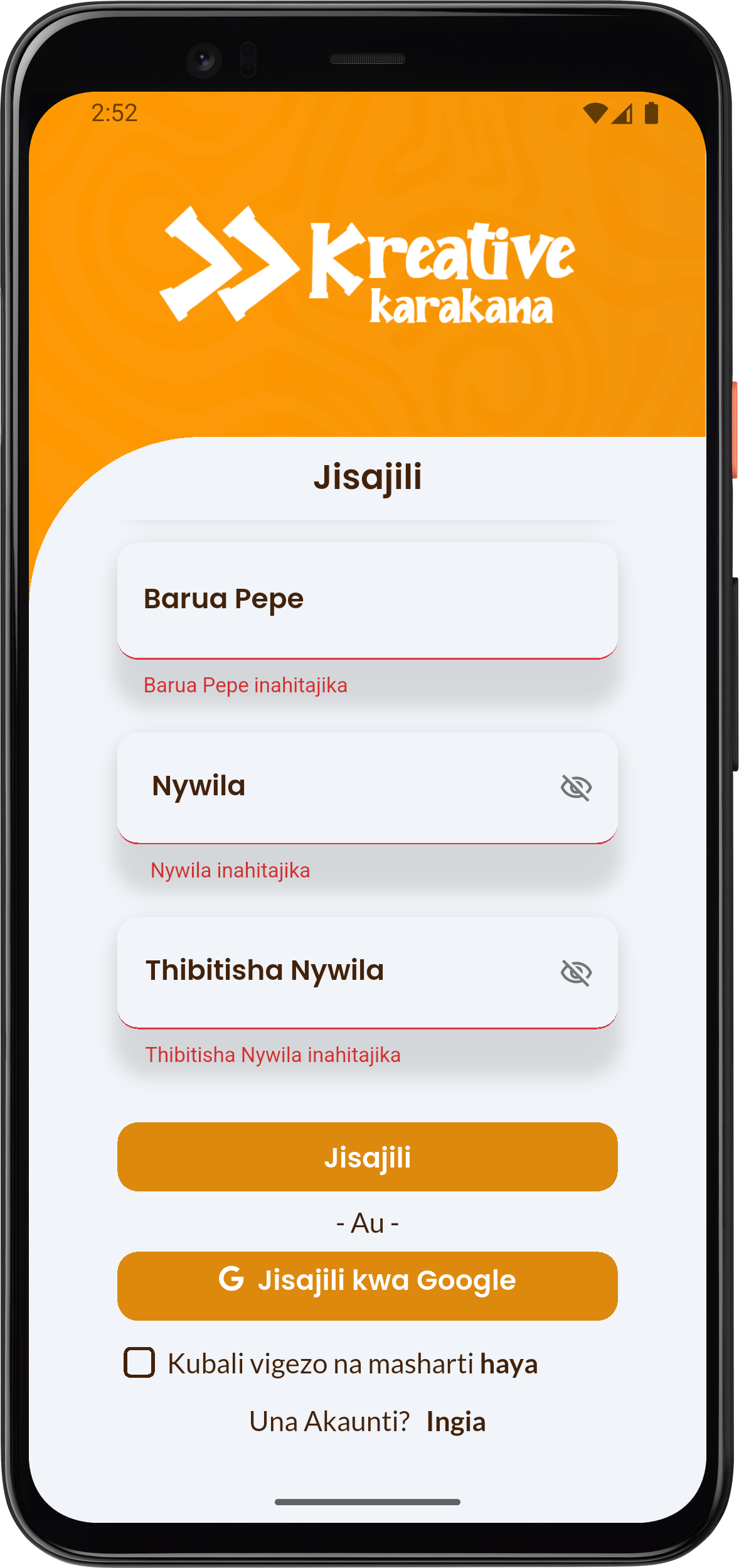
- Enter the required information:
- Full Name: Enter your full name.
- Email: Enter the email address you use.
- Password: Choose a strong password. You can click the small eye icon on the right to show or hide the password.
- Confirm Password: Re-enter the same password to verify that it was entered correctly.
- After completing all fields, click the button: Register
Step 2: Email Verification
info
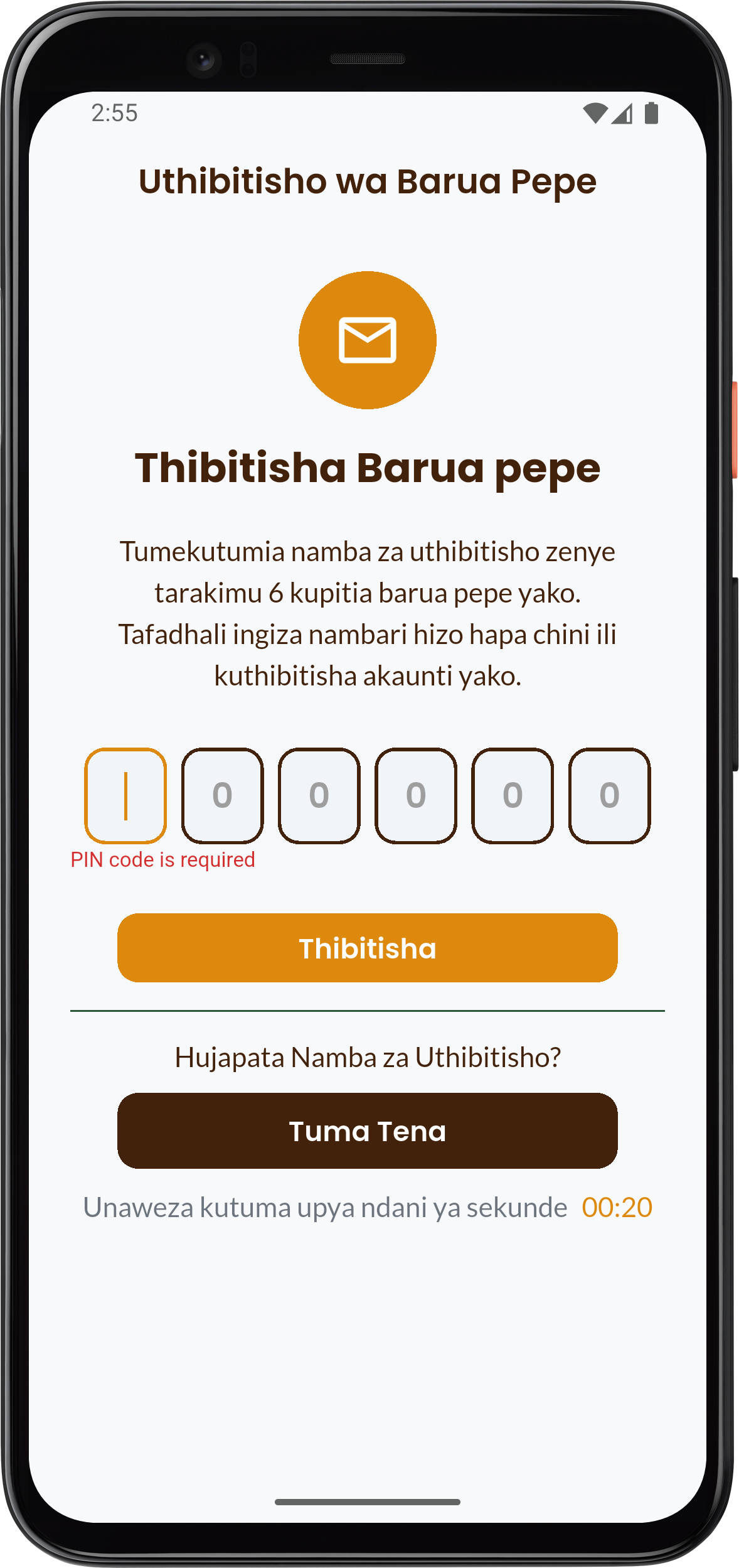
Once you click Jisajili, an email containing a verification code will be sent to the email address you provided.
- Open your Email Inbox.
- Look for an email from Kreative Karakana.
- Didn't receive the email?
- Check Spam/Junk Mail: The email may have landed in your spam or junk folder, so make sure to check there.
- Verify Address: Make sure you are using the same email address you entered in Step 2.
- Copy the verification code you received.
- Return to the Karakana app and enter the code in the designated field, then click Verify.
Step 3: Log In and Start Learning
After entering the verification code correctly, you will be logged in automatically!
- You can now start using Karakana and begin learning your preferred lessons.